



In the ever-evolving landscape of modern employment, remote work has transitioned from a temporary solution to a permanent fixture for many organizations worldwide. As the lines between home and office blur, the need for efficiency and productivity becomes paramount. Enter automation tools—powerful allies in the quest to streamline operations, minimize daily hassles, and enhance collaboration among distributed teams. By leveraging these innovative technologies, businesses can empower their workforce to focus on what truly matters: creativity, problem-solving, and building meaningful connections. In this article, we will explore the transformative potential of automation tools in the remote work environment, illuminating how they can simplify tasks, increase efficiency, and ultimately redefine the way we work from anywhere. Join us as we delve into the practical applications and benefits of integrating automation into your remote work strategy.
Embracing Automation to Enhance Team Collaboration
As teams navigate the complexities of remote work, automation tools emerge as vital allies in fostering seamless collaboration. With a myriad of tasks falling under each team member’s responsibilities, automating routine processes can free up valuable time and enhance productivity. By adopting tools that streamline communication, project management, and file sharing, organizations can ensure that every team member stays aligned, regardless of their location. Consider integrating solutions that offer:
- Automated Project Updates: Keep everyone in the loop with scheduled notifications and status reports.
- Task Assignment Automation: Optimize the workflow by automatically assigning tasks based on team members’ capabilities.
- Scheduling Software: Eliminate the back-and-forth of meeting planning with tools that allow team members to book time seamlessly.
Furthermore, these automation tools enable real-time data sharing, allowing teams to access the information they need without unnecessary delays. For example, utilizing project management platforms that integrate with existing workflows can bring transparency and efficiency to previously cumbersome processes. A quick comparison of popular automation tools can highlight the best fit for your team’s specific needs:
| Tool | Key Features | Best Suited For |
|---|---|---|
| Trello | Visual task boards, drag-and-drop functionality | Creative teams managing projects |
| Slack | Instant messaging, file sharing, app integrations | Global teams needing quick communications |
| Asana | Task management, progress tracking | Teams requiring organized project timelines |
Optimizing Task Management with Intelligent Solutions
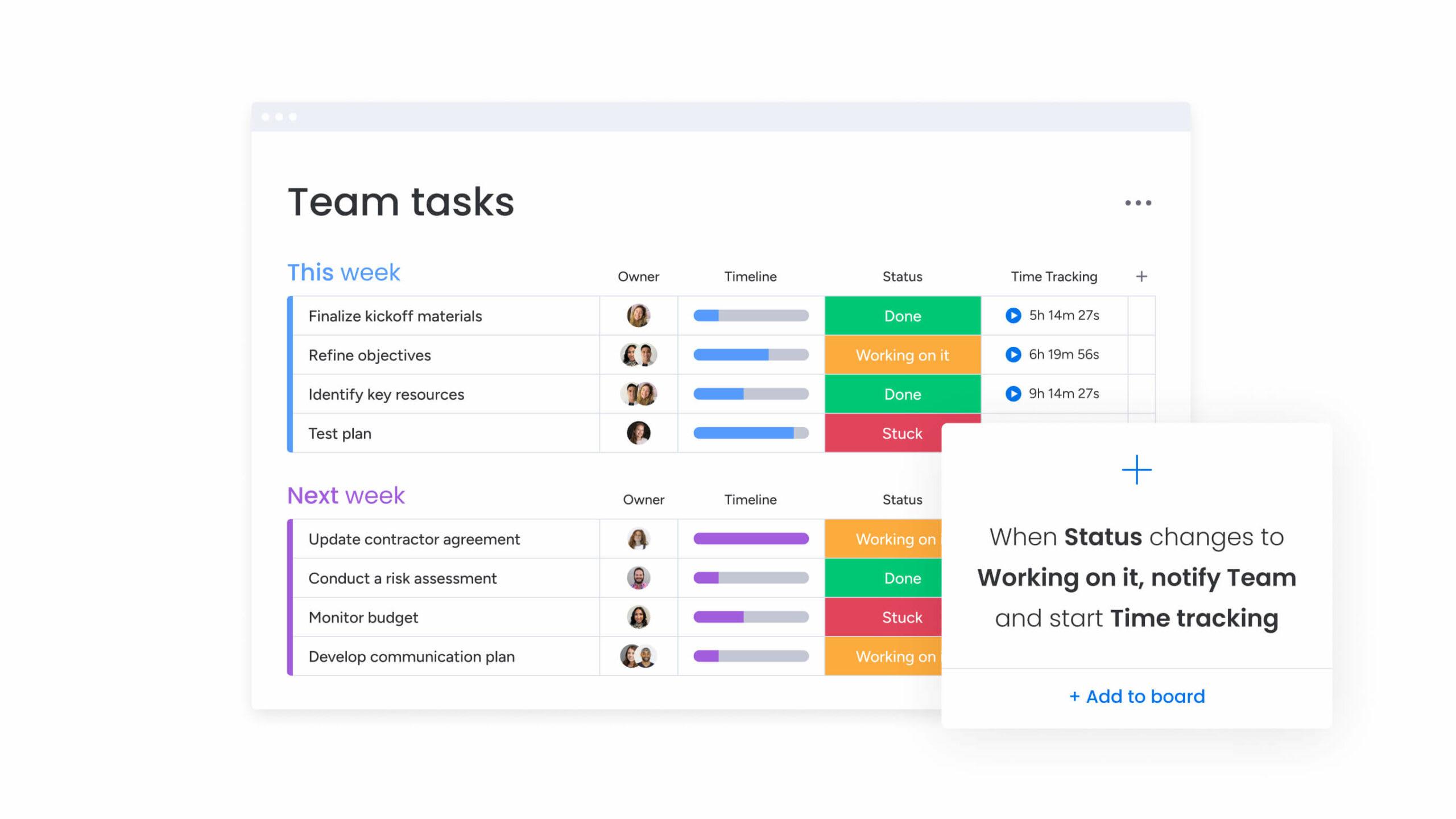
In the age of remote work, effective task management is essential for maintaining productivity and team cohesion. Leveraging intelligent solutions can drastically enhance your ability to manage tasks efficiently. Automated reminders, project assignments, and time tracking tools not only help streamline workflows but also reduce the cognitive load on team members. The integration of these tools with project management software enables real-time collaboration and ensures that everyone is on the same page, fostering a sense of accountability and ownership throughout the team.
| Intelligent Solution | Benefit |
|---|---|
| Task Automation Tools | Minimize repetitive tasks, freeing up time for creativity. |
| AI Scheduling Assistants | Effortlessly manage calendars and optimize meeting times. |
| Performance Analytics | Gain insights into team productivity trends, enabling better decision-making. |
Furthermore, intelligent solutions provide insights and analytics that transform the way teams approach task management. With the power of data at your fingertips, you can identify bottlenecks, determine resource allocation, and even predict project timelines with greater accuracy. Implementing features such as custom dashboards and report generation can facilitate informed decision-making, supporting a culture of continuous improvement. By combining human insights with automated processes, you create a robust framework that maximizes productivity and nurtures a thriving remote work environment.
Enhancing Communication Efficiency through Automation
In today’s fast-paced digital landscape, automating communication processes can drastically enhance team collaboration. By leveraging automation tools, remote teams can ensure that important messages don’t get lost in the noise of countless emails and chat notifications. Automation streamlines routine communication tasks, allowing members to focus more on project ideals than the logistics of staying updated. Some benefits of using such tools include:
- Real-time updates: Automated alerts keep everyone in the loop.
- Consistent messaging: Maintain a unified voice across all communications.
- Time savings: Reduce the hours spent on mundane follow-ups and repetitive tasks.
Furthermore, integrating automation into communication workflows not only accelerates the dissemination of information but also fosters a culture of responsiveness. Automated scheduling tools can manage meetings flawlessly, ensuring that all stakeholders are aware of their commitments without manual intervention. Additionally, chatbots and virtual assistants can handle common inquiries, freeing human resources for more complex discussions. See the following table for a comparison of popular automation tools:
| Tool | Purpose | Key Feature |
|---|---|---|
| Slack | Team Messaging | Automated Notifications |
| Trello | Project Management | Task Automation |
| Zapier | Workflow Automation | Integrates Multiple Apps |
Evaluating the Best Tools for Seamless Remote Work Integration
Finding the right tools can make all the difference in enhancing productivity and collaboration within remote teams. Integrating automation tools helps in streamlining complex processes and reduces the manual workload often associated with remote work. Among the essential features to look for, consider the following:
- User-Friendly Interface: A tool should be intuitive and easy to navigate, ensuring all team members can adopt it without extensive training.
- Integration Capabilities: The ability to connect with existing platforms (like project management software, email, etc.) is crucial for a seamless workflow.
- Customizable Workflows: Tools that allow teams to tailor their processes help in addressing specific needs and improving efficiency.
Another important factor in evaluating automation tools is their support and scalability. As businesses grow, the tools must adapt to changing requirements without compromising performance. Here’s a quick comparison of a few popular automation tools:
| Tool | Key Features | Best For |
|---|---|---|
| Asana | Task management, timeline view, project templates | Team collaboration and project tracking |
| Slack | Real-time messaging, file sharing, integrations with apps | Team communication and instant collaboration |
| Zapier | App integrations, automated workflows, multi-step tasks | Connecting different platforms to automate tasks |
Insights and Conclusions
the shift towards remote work has reshaped the landscape of our professional lives, creating opportunities for innovation and efficiency. As we’ve explored, automation tools stand at the forefront of this transformation, empowering teams to enhance productivity while maintaining flexibility. By integrating these technologies into the daily workflow, businesses can harness the potential of their talent, streamline communication, and free up valuable time for creativity and strategic thinking. The future of work is not just about being remote; it’s about being smart with the resources we have. As we continue to navigate this evolving work environment, embracing automation may not just be an option—it may be the key to thriving in a world where adaptability is essential. The next step is clear: seize the power of automation and redefine the way we work, together.